
Prusa Prusa XL Calibration pin

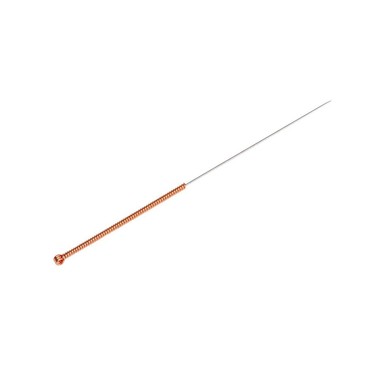
Prusa XL Calibration pin
Calibration pin for Prusa XL
- Manufacturer: Prusa
- Manufacturer number: 2427
- Item number: 40770
- Availability: from stock > delivery time 1-3 working days

Calibration pin for Prusa XL
To ensure that the Prusa XL toolchange functions flawlessly, the nozzle positions must be perfectly aligned with one another. The calibration pin serves as the printer's mechanical zero point on the heatbed. If the original pin is lost or damaged, the automatic calibration will fail – so always make sure to have a ready-to-use pin in your workshop.
On the left side of the Prusa XL, next to the filament feed, you will find a small hole. You can conveniently store the pin there whenever it is not in use.
You can find further details on calibrating the Prusa XL in the Prusa Knowledge Base at help.prusa3d.com, select your specific printer model, and follow the instructions provided in the manual.
Compatibility
- Prusa XL
- Manufacturer
- Prusa Research a.s.
- Partyzánská 188/7A, 17000 Prag 7, Czech Republic
- info@prusa3d.com